Settings has no text fields to fill in. Repository and branch are both picked from a list (the one exception is manual entry, for when the list is truncated at 100 × 5 pages).
On every platform
| Section | What is in it |
|---|---|
| GitHub | Connection state (@account), how you connected, token expiry, connect / disconnect |
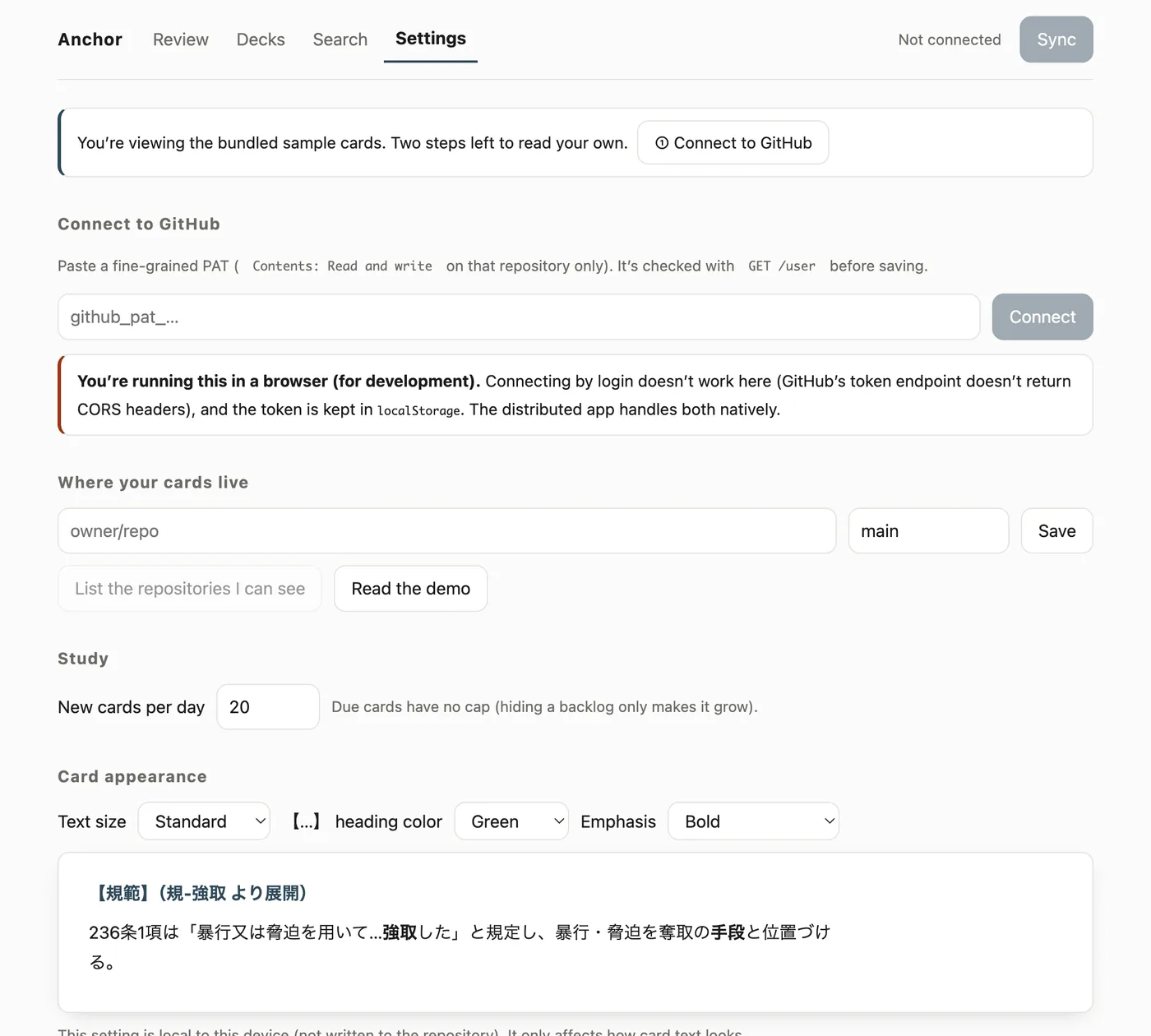
| Card location | Repository and branch, picked from what you can see. “Read the demo” is here too |
| Sync | Sync now, last result, last synced |
| Paths not taken | Files that hit the sync exclusions (shown only when there are any — never dropped silently) |
| Study | New cards per day (20 by default, Anchor Pro lifts the cap) |
| Current status | Card count, deck count, where they came from (synced vault or bundled samples), unreadable files, algorithm, desired retention, short-term steps |
| FSRS parameters | Whether defaults or data/fsrs.json are in effect, and the reason for anything declined |
The branch is whatever the repository’s default branch is (hard-coding main makes the first sync fail on repositories using master or trunk).
iOS only
- How to use: the card format, where to put cards, and the prompt generator for an AI agent (having your cards written)
- Read cards aloud: off by default
- Share with other apps: shares study sessions with other apps. It exports when, which deck, how long, how many — never a card’s content or your grades
Mac only
Distributed as a .dmg outside the store, the Mac build holds no purchase state, so the new-cards-per-day figure is simply whatever you set.
- Card appearance: text size (small / normal / large / extra large), the colour of
【…】headings, and how emphasis renders (bold, or bold plus highlight)- Only the card body scales. Enlarging the navigation and counters does not make long text easier to read; it just adds line breaks
- The setting is stored on this device. Reading preferences differ per device, and keeping them in the repository would produce a sync diff every time you changed one
- Optimise from your log: scheduling
- This device’s storage: usage, eviction protection, erase this device’s data
- Hand-off: copy weak cards for AI
iOS and Android have no text-size setting because SwiftUI and Compose follow the OS text size automatically. The browser-derived Mac build has no such thing, so it carries the setting itself.